How to Use Google Keyword Planner to Discover SEO Gold
Introduction:
Think Google Keyword Planner is only useful for paid ads? Think again. It’s one of the most underrated tools for discovering high-value SEO keywords—and it’s completely free.
Why Google Keyword Planner Is a Hidden Gem for SEO
While it's built for advertisers, Keyword Planner shows you exactly:
What people are searching
How often they’re searching it
How competitive each term is (which helps guide your organic content strategy)
In other words, it’s an SEO prospector’s dream tool.
How to Use Google Keyword Planner for SEO (Step-by-Step)
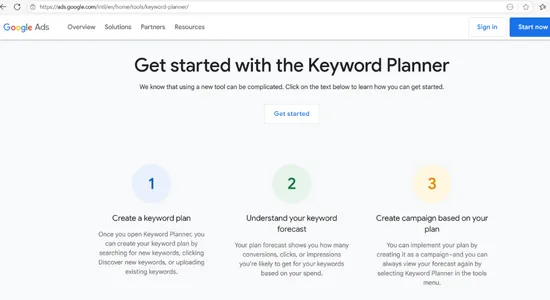
Step 1: Access the Tool
Create a free Google Ads account (you don’t have to run a campaign)
Go to “Tools & Settings” → “Keyword Planner”
Step 2: Choose “Discover New Keywords”
Enter a few broad terms related to your niche (e.g., “meal prep,” “fitness coaching,” “small business marketing”).
Step 3: Sort and Filter
Look for keywords with medium to high volume and low competition
Use the location filter to find terms relevant to your geographic audience
Use “Refine keywords” to uncover categories that matter
Step 4: Save and Organize
Export your list or star your favorite keywords to target them in your blog posts, product pages, or FAQs.
Bonus Tip: Use Competitor URLs
In the search bar, enter a competitor’s website instead of a keyword. Google will pull keywords their pages rank for or relate to, giving you fresh content ideas you hadn’t thought of.
Conclusion:
Google Keyword Planner isn’t just for PPC—it’s a powerful tool for discovering SEO gold. Use it to build content that your audience is already searching for, and watch your organic traffic grow.
